> ## Documentation Index
> Fetch the complete documentation index at: https://ngquct-feat-socket-url-param.mintlify.site/llms.txt
> Use this file to discover all available pages before exploring further.
# Connection Sharing
> Export connections and their saved queries to a file, share links, import from other apps, and resolve passwords from secret managers
Passwords stay in your Keychain, so every route here hands over a connection definition and leaves the other person to supply their own credential. An encrypted export is the one exception.
| Route | Use it when | Passwords | Needs |
| - | - | - | - |
| `.tablepro` file | One-off, any number of connections | Only with **Include Credentials** | Nothing |
| `tablepro://` link | One connection, pasted into a chat | Never | Nothing |
| [Linked Folder](#linked-folders) | A shared set has to stay current | Never | Starter |
| [Team Catalog](#team-catalog) | Your team already shares a repo or a drive | Never | Team |
| [Team Library](/features/team#share-connections-with-your-team) | Your team shares nothing on disk | Never | Team |
| [iCloud Sync](/features/icloud-sync) | Your own second Mac, not a colleague | Optional | Starter |
## Export
Right-click a connection > **Share > Export to File…**, selecting several first to export them together, or **File > Export > Export Connections…** for all of them.
The file carries what the connection form holds, from host and port through SSH and SSL configuration, color, icon, tags, the full group path, Safe Mode level, startup commands, AI policy, the Local only flag, and any driver field the plugin does not mark secret. Passwords, key passphrases, TOTP secrets, and secret driver fields stay behind.
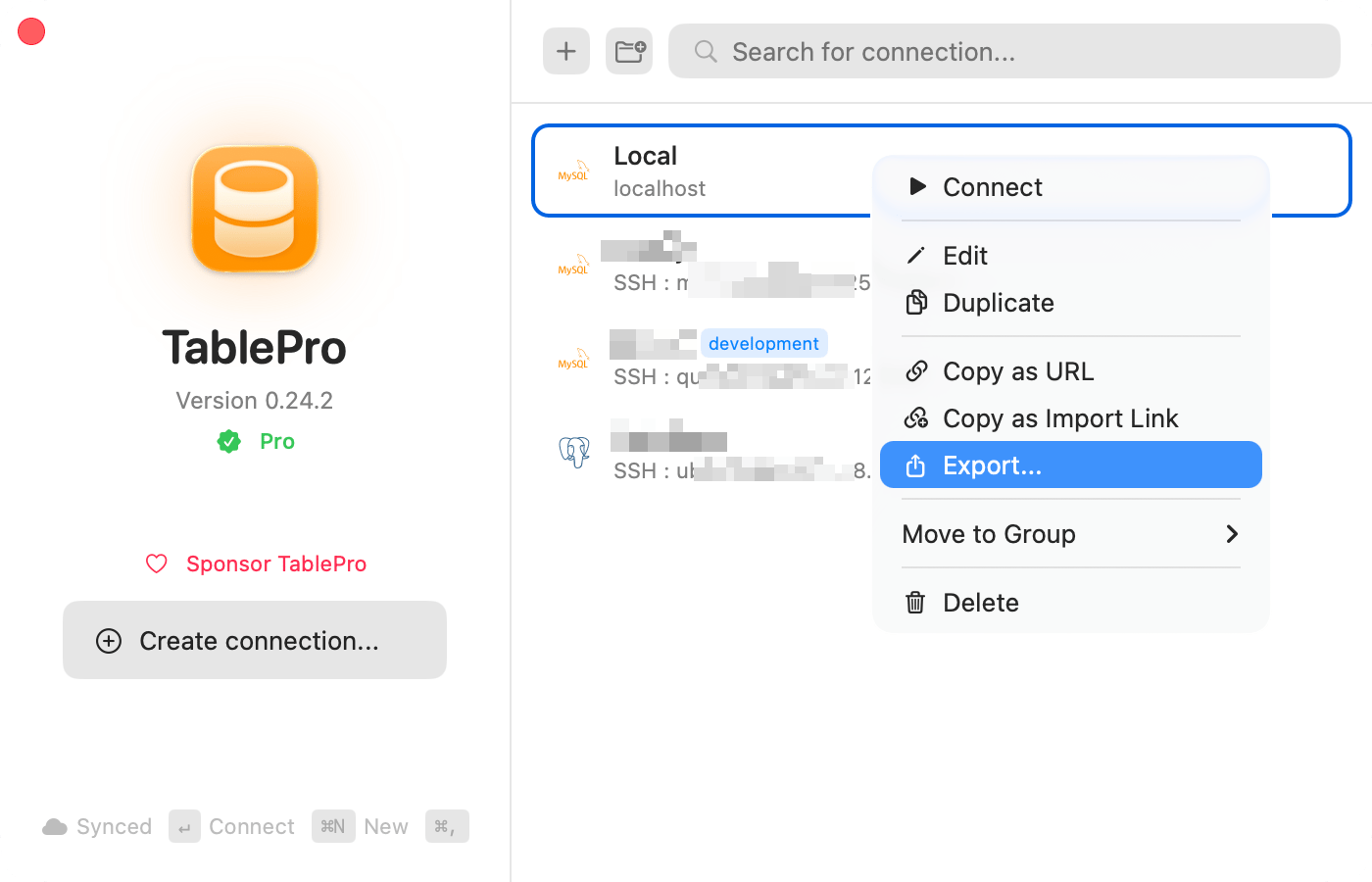
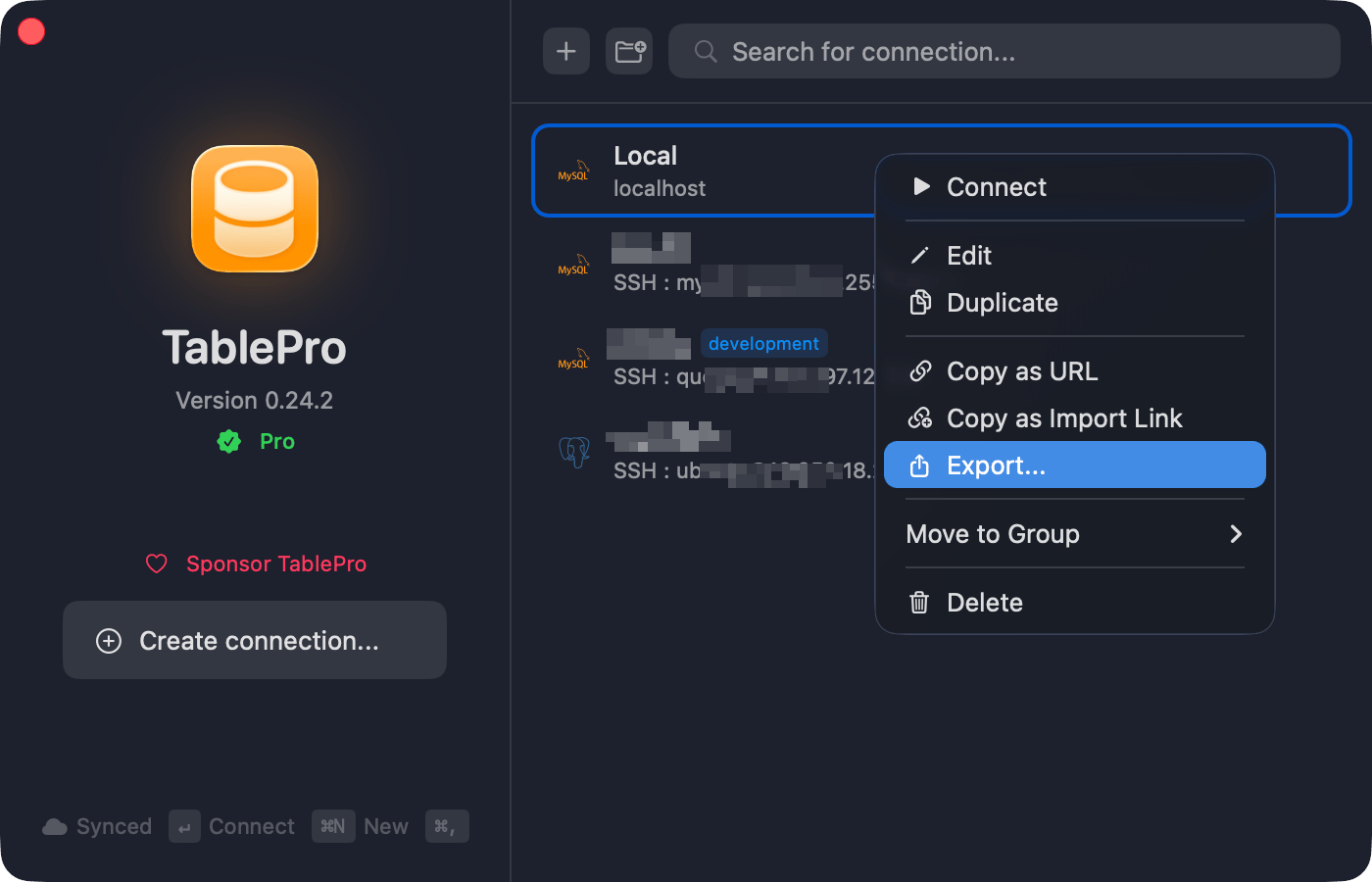 The export sheet adds these options:
| Option | Default | Adds to the file |
| - | - | - |
| **Include Saved Queries** | On | The [saved queries](/features/favorites#saving-a-query) that belong to the exported connections, with their folders and keywords |
| **Also include global saved queries** | Off | The saved queries every connection shows. Dimmed while **Include Saved Queries** is off |
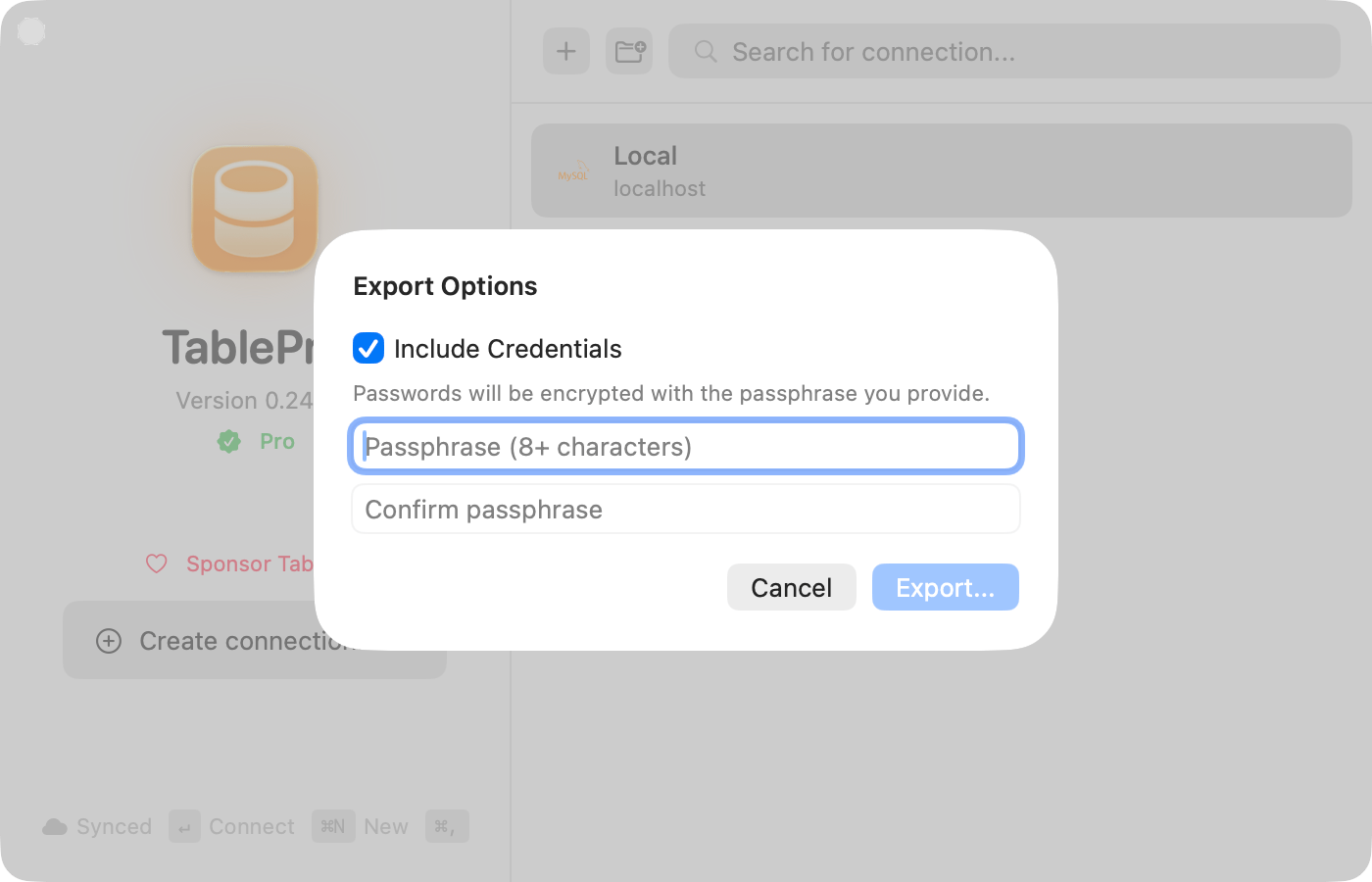
| **Include Credentials** | Off | Passwords and other secrets, under a passphrase. See [Encrypted export](#encrypted-export) |
The saved query options appear only when there are saved queries to export, and they need no license. Saved queries are written as readable text unless **Include Credentials** encrypts the file. Version history, [linked SQL folders](/features/favorites#linked-sql-folders) and Team Library queries are never exported.
**Copy Connection String** writes a database URL that carries the password in plain text, plus the SSH password when the connection tunnels. TablePro marks the clipboard item concealed, which keeps it out of the history of clipboard managers that follow that convention and out of nothing else. **Copy TablePro Link** and **Copy as JSON** carry no secrets.
### Encrypted export
Needs a [Starter license](/features/licensing).
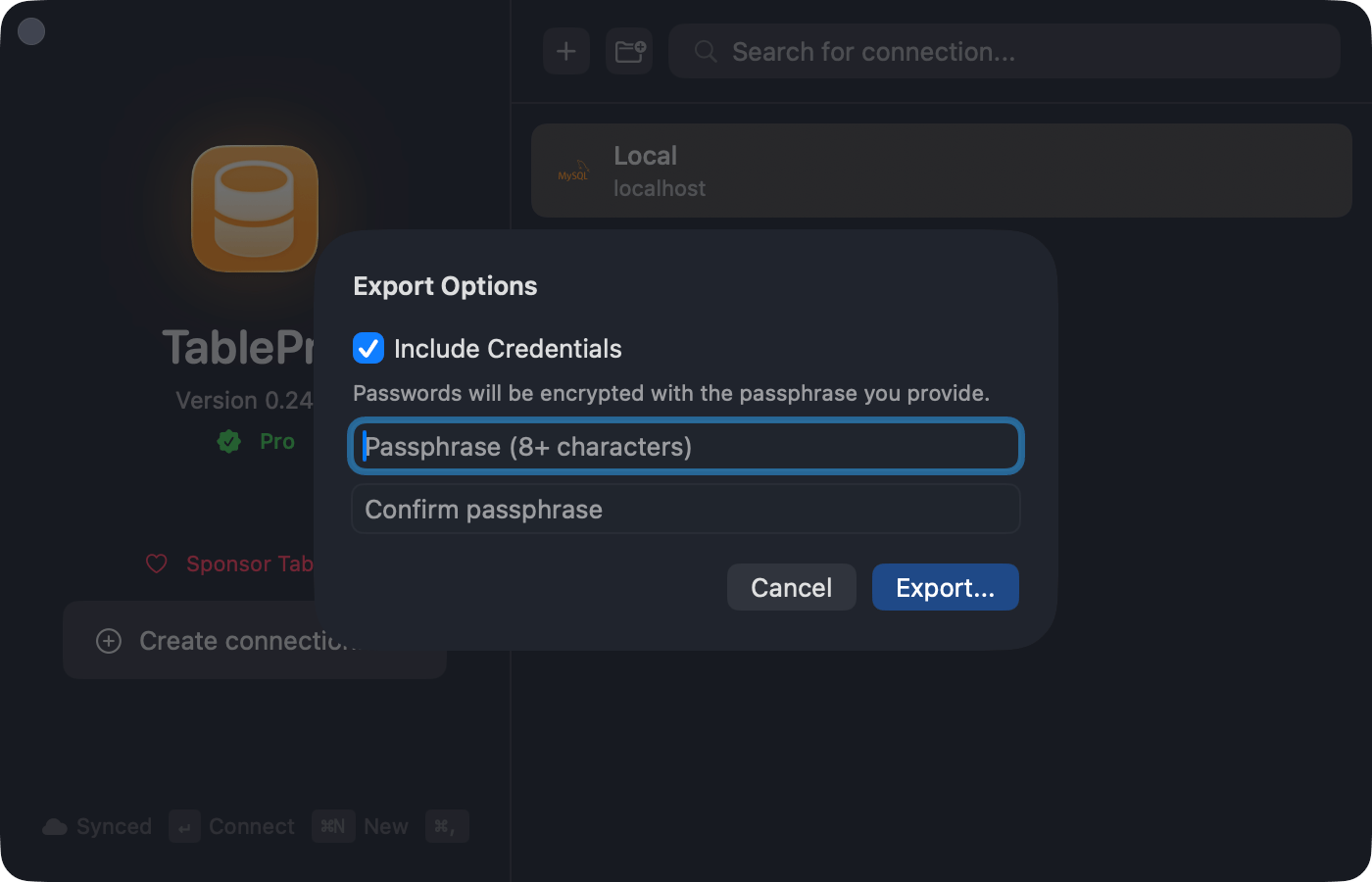
Turn on **Include Credentials** in the export sheet and enter a passphrase of 8 characters or more. Credentials go out under AES-256-GCM, keyed from the passphrase with PBKDF2 at 600,000 iterations. Importing asks for the passphrase.
The export sheet adds these options:
| Option | Default | Adds to the file |
| - | - | - |
| **Include Saved Queries** | On | The [saved queries](/features/favorites#saving-a-query) that belong to the exported connections, with their folders and keywords |
| **Also include global saved queries** | Off | The saved queries every connection shows. Dimmed while **Include Saved Queries** is off |
| **Include Credentials** | Off | Passwords and other secrets, under a passphrase. See [Encrypted export](#encrypted-export) |
The saved query options appear only when there are saved queries to export, and they need no license. Saved queries are written as readable text unless **Include Credentials** encrypts the file. Version history, [linked SQL folders](/features/favorites#linked-sql-folders) and Team Library queries are never exported.
**Copy Connection String** writes a database URL that carries the password in plain text, plus the SSH password when the connection tunnels. TablePro marks the clipboard item concealed, which keeps it out of the history of clipboard managers that follow that convention and out of nothing else. **Copy TablePro Link** and **Copy as JSON** carry no secrets.
### Encrypted export
Needs a [Starter license](/features/licensing).
Turn on **Include Credentials** in the export sheet and enter a passphrase of 8 characters or more. Credentials go out under AES-256-GCM, keyed from the passphrase with PBKDF2 at 600,000 iterations. Importing asks for the passphrase.
 ## Import
Open a `.tablepro` file through **File > Import > Import Connections…**, by right-clicking the empty area of the connection list, by double-clicking the file, or by dragging it onto TablePro. **File > Import > Import from URL…** takes a database URL instead, described in [Connection URLs](/connections/urls).
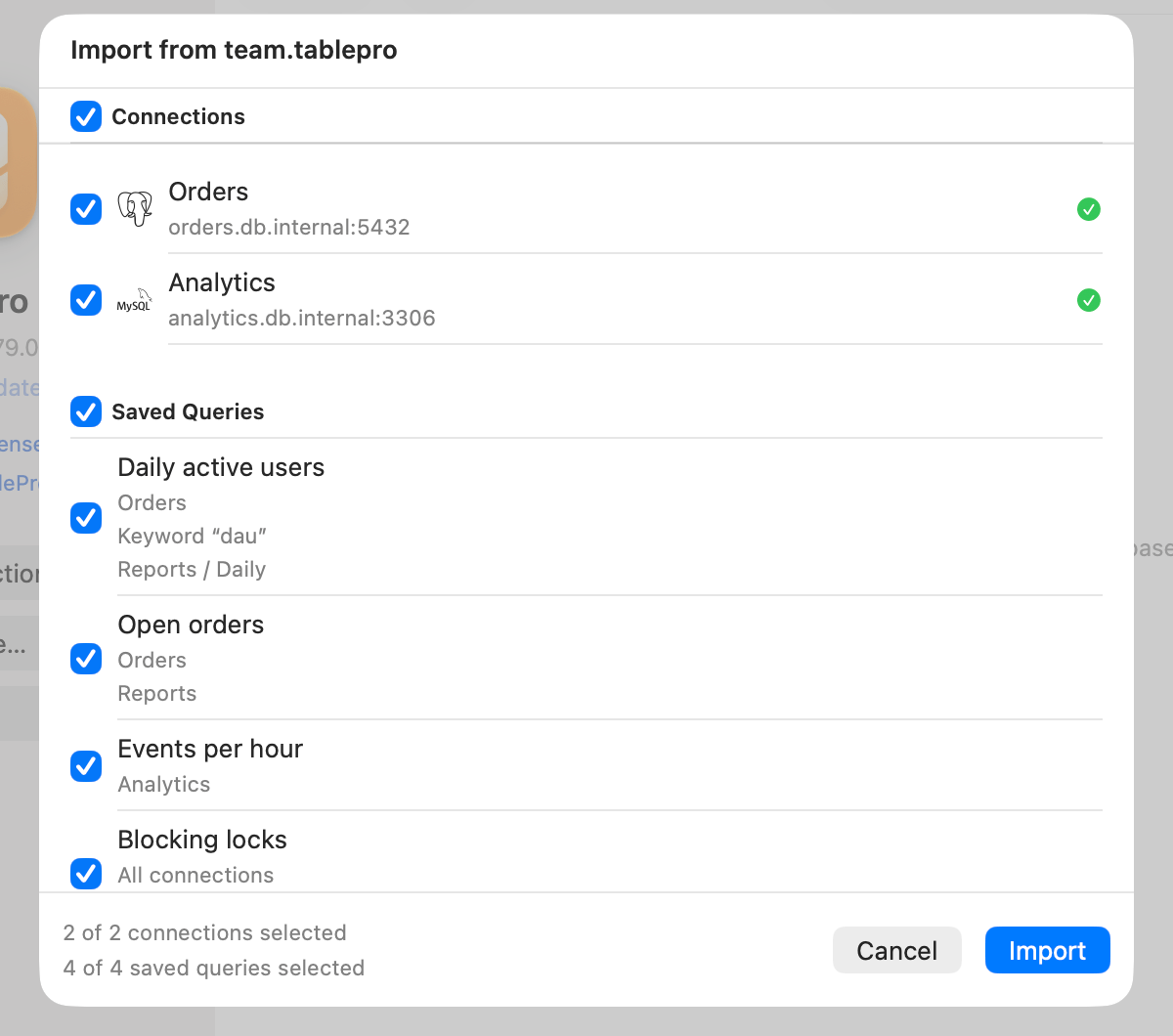
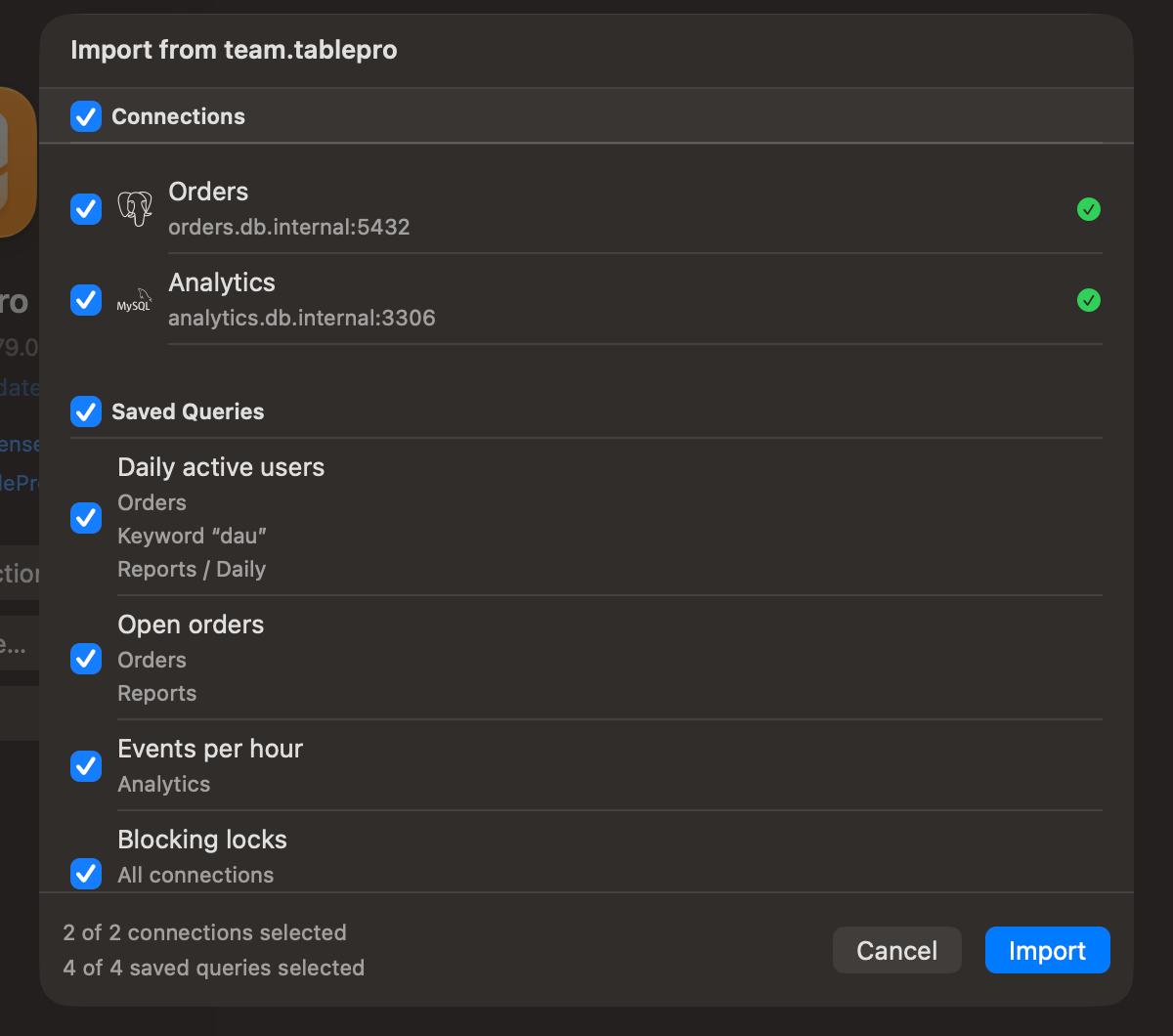
A review lists the connections, then the saved queries, before anything is saved. The checkbox in each section header selects or deselects the whole section. A green checkmark marks a connection ready; a yellow triangle marks a missing SSH key or certificate, or an SSL mode TablePro does not recognize, which imports as **Required**. A "duplicate" tag marks one already in your library, with the name it matches.
Duplicates match by host, port, database, and username, and start deselected. Select one, then choose what happens to it:
| Choice | Result |
| - | - |
| **Keep Existing, Add Queries** | Your connection stays as it is and gains the file's saved queries for it. Offered only when the row carries saved queries |
| **As Copy** | A second connection named "*name* (Imported)" |
| **Replace** | The file's settings overwrite yours. Only one row can replace a given connection |
A duplicate that carries saved queries starts on **Keep Existing, Add Queries**; any other duplicate starts on **As Copy**. To skip a connection, deselect it.
Each saved query shows its connection, or **All connections** for a global one, and its folder path. A query whose connection is deselected cannot be selected. A query you already have is tagged "already saved" and stays deselected: same name, same SQL, and the same connection, or global in both places. A note on the row says what else changes:
| Note | What happens |
| - | - |
| A saved query with this name exists. | It imports beside the one you have |
| Keyword “…” is in use, so it imports without one. | The query that has the keyword keeps it |
| Keyword “…” is not valid, so it imports without one. | Keywords cannot hold spaces |
| Too large to save (…) | Over the 900 KB limit for a saved query, so it cannot be selected |
| Its connection is not imported. | Select the connection to bring its queries |
Group and folder paths match by name from the top down: an existing group or folder is reused, and a missing one is created. A created group takes the file's color and icon; an existing one keeps its own. Only the groups, tags, and credential profiles that added or replaced connections use are created.
## Import
Open a `.tablepro` file through **File > Import > Import Connections…**, by right-clicking the empty area of the connection list, by double-clicking the file, or by dragging it onto TablePro. **File > Import > Import from URL…** takes a database URL instead, described in [Connection URLs](/connections/urls).
A review lists the connections, then the saved queries, before anything is saved. The checkbox in each section header selects or deselects the whole section. A green checkmark marks a connection ready; a yellow triangle marks a missing SSH key or certificate, or an SSL mode TablePro does not recognize, which imports as **Required**. A "duplicate" tag marks one already in your library, with the name it matches.
Duplicates match by host, port, database, and username, and start deselected. Select one, then choose what happens to it:
| Choice | Result |
| - | - |
| **Keep Existing, Add Queries** | Your connection stays as it is and gains the file's saved queries for it. Offered only when the row carries saved queries |
| **As Copy** | A second connection named "*name* (Imported)" |
| **Replace** | The file's settings overwrite yours. Only one row can replace a given connection |
A duplicate that carries saved queries starts on **Keep Existing, Add Queries**; any other duplicate starts on **As Copy**. To skip a connection, deselect it.
Each saved query shows its connection, or **All connections** for a global one, and its folder path. A query whose connection is deselected cannot be selected. A query you already have is tagged "already saved" and stays deselected: same name, same SQL, and the same connection, or global in both places. A note on the row says what else changes:
| Note | What happens |
| - | - |
| A saved query with this name exists. | It imports beside the one you have |
| Keyword “…” is in use, so it imports without one. | The query that has the keyword keeps it |
| Keyword “…” is not valid, so it imports without one. | Keywords cannot hold spaces |
| Too large to save (…) | Over the 900 KB limit for a saved query, so it cannot be selected |
| Its connection is not imported. | Select the connection to bring its queries |
Group and folder paths match by name from the top down: an existing group or folder is reused, and a missing one is created. A created group takes the file's color and icon; an existing one keeps its own. Only the groups, tags, and credential profiles that added or replaced connections use are created.
 Anything that decides where a credential comes from is stripped on the way in, from a file and from a link alike: AWS options including IAM authentication, the region, the profile and the RDS endpoint; **Use Password File**; **Prompt for password**; the SSL client key passphrase; the pre-tunnel host and port; and the **Pre-Connect Script**. Startup SQL and tunnel commands run on every connect, so a file brings them only if you agree: importing lists each one and asks, and **Import Without Commands** is the default. A link's sheet shows its startup SQL in full before you add it.
## Share via link
**Share > Copy TablePro Link** produces a `tablepro://import?…` URL with the name, host, port, type, username, database, and any SSH or SSL settings. The recipient opens it, reviews the prefilled form, adds a password, and saves.
```text theme={null}
tablepro://import?name=Staging&host=db.example.com&port=5432&type=PostgreSQL&username=admin
```
`tablepro://connect/` opens a saved connection rather than importing one. No menu item builds it; see [URL Scheme](/developers/url-scheme#open-a-connection).
## Import from other apps
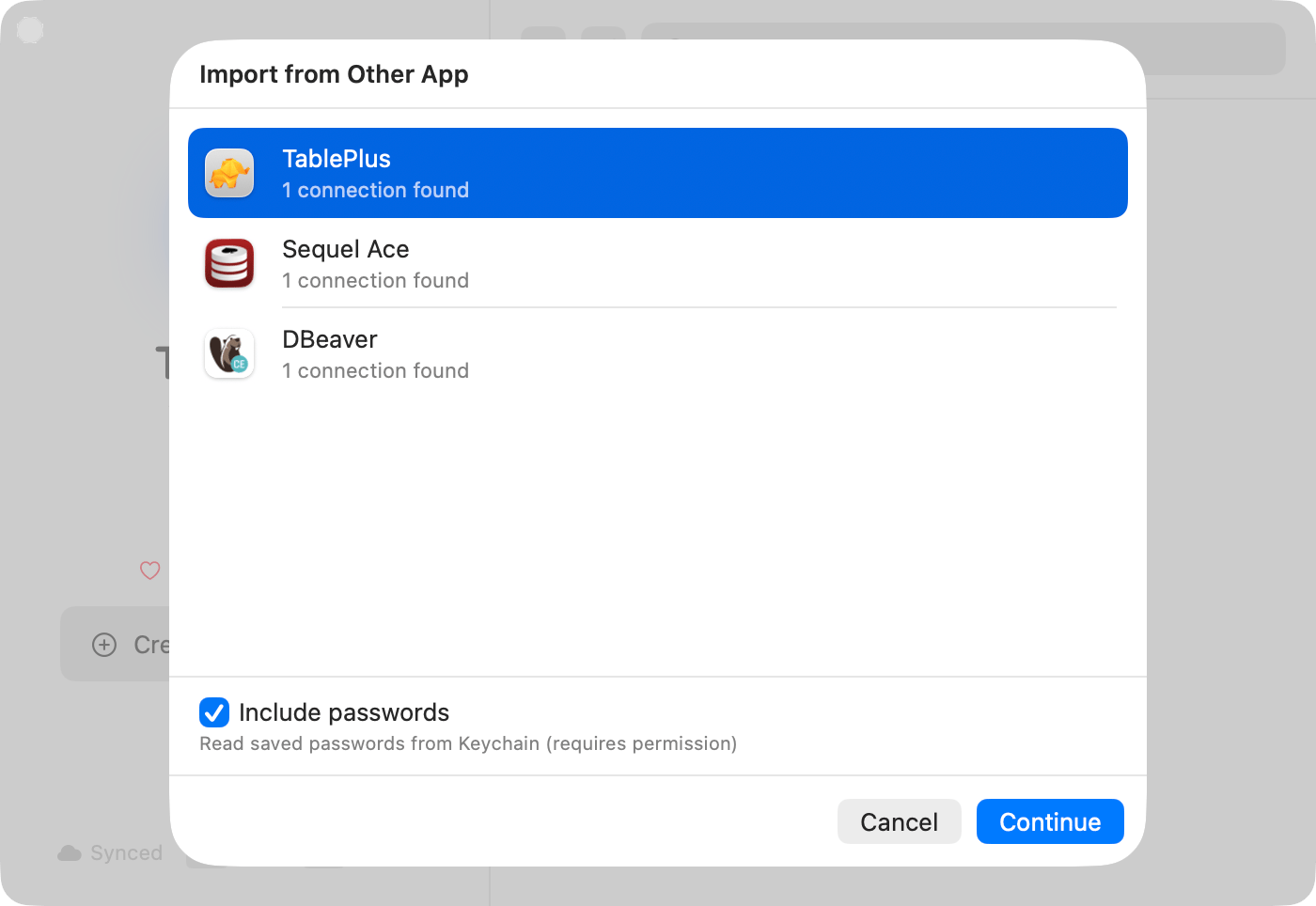
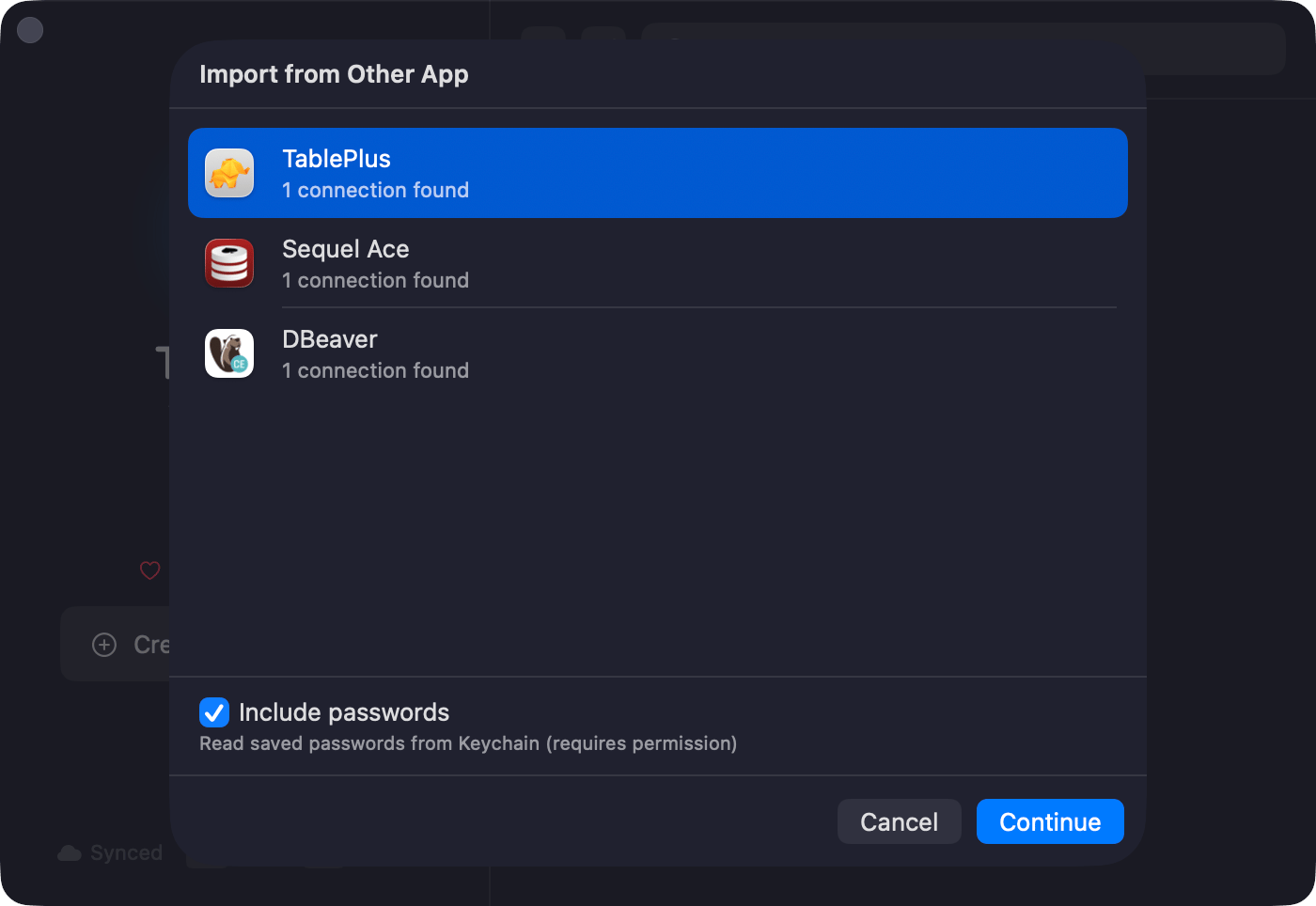
Choose **File > Import > Import from Other App…**, pick the source, then review the list and resolve duplicates before clicking **Import**. Groups and folders carry over, and the source app does not have to be running. Leave **Include saved queries** selected to bring the source's saved queries into the same review; the source list says how many it found.
Anything that decides where a credential comes from is stripped on the way in, from a file and from a link alike: AWS options including IAM authentication, the region, the profile and the RDS endpoint; **Use Password File**; **Prompt for password**; the SSL client key passphrase; the pre-tunnel host and port; and the **Pre-Connect Script**. Startup SQL and tunnel commands run on every connect, so a file brings them only if you agree: importing lists each one and asks, and **Import Without Commands** is the default. A link's sheet shows its startup SQL in full before you add it.
## Share via link
**Share > Copy TablePro Link** produces a `tablepro://import?…` URL with the name, host, port, type, username, database, and any SSH or SSL settings. The recipient opens it, reviews the prefilled form, adds a password, and saves.
```text theme={null}
tablepro://import?name=Staging&host=db.example.com&port=5432&type=PostgreSQL&username=admin
```
`tablepro://connect/` opens a saved connection rather than importing one. No menu item builds it; see [URL Scheme](/developers/url-scheme#open-a-connection).
## Import from other apps
Choose **File > Import > Import from Other App…**, pick the source, then review the list and resolve duplicates before clicking **Import**. Groups and folders carry over, and the source app does not have to be running. Leave **Include saved queries** selected to bring the source's saved queries into the same review; the source list says how many it found.
 | App | Databases | Passwords | Saved queries | Notes |
| - | - | - | - | - |
| TablePlus | Every TablePlus engine except Vertica and Greenplum | From Keychain, and the password mode with them | Favorites and shared favorite folders, global, in a folder named TablePlus | SQLite and DuckDB connections bring their file path. Check the account ID of a Cloudflare D1 connection and the URL of a libSQL one in the connection form after importing |
| Sequel Ace | MySQL | From Keychain | Query favorites, global, in a folder named Sequel Ace | |
| DBeaver | MySQL, PostgreSQL, SQLite, SQL Server, Oracle, and more | Decrypted from config file | Scripts, with the connection each one runs on | Read from the data folder, so every edition works |
| DataGrip | MySQL, PostgreSQL, SQLite, SQL Server, Oracle, and more | From Keychain or `c.kdbx` | Query consoles, with their data source | Reads recent projects with SSH and SSL settings. A master password blocks it |
| Beekeeper Studio | MySQL, PostgreSQL, SQLite, SQL Server, Oracle, and more | Decrypted from its `app.db` store | Saved queries, global, in a folder named Beekeeper Studio | Brings SSH bastion hosts across |
| Navicat | MySQL, MariaDB, PostgreSQL, SQLite, SQL Server, Oracle, MongoDB | Decrypted from `.ncx` file | None: the `.ncx` file has no saved queries | Export from Navicat first, with **Export Password** on, then pick the `.ncx` |
Saved queries keep their folders inside the app's folder. A query keeps one keyword: a Sequel Ace tab trigger, or the first keyword without spaces from a TablePlus favorite. A DBeaver script with no connection lands in a global folder named DBeaver. A script or console whose connection is not part of the import lands in a global DBeaver or DataGrip folder, deselected. Scripts and consoles that still carry the name the app gave them, such as `Script-3` or `console_2`, also start deselected. Empty files are skipped, and placeholders such as `${1:name}` arrive as written.
## Import from AWS
Choose **File > Import > Import from AWS…** to list the RDS instances and Aurora clusters an AWS profile can see, and import them with their endpoint, port, and engine already filled in. See [AWS IAM Authentication](/connections/aws-iam#import-from-aws).
## On iPhone
TablePro for iPhone reads and writes the same file. Tap the **more** menu (•••) above the connection list and choose **Import Connections**, or open a `.tablepro` file from Files or AirDrop. **Export Connections** shares through the system share sheet, leaving passwords out unless you turn on **Include passwords** and set a passphrase.
Groups nest on iPhone the way they do on the Mac. Saved queries do not: an iPhone import skips the ones in a file, and an iPhone export carries none, so a Mac file exported again from an iPhone loses its queries.
## Linked Folders
Needs a [Starter license](/features/licensing).
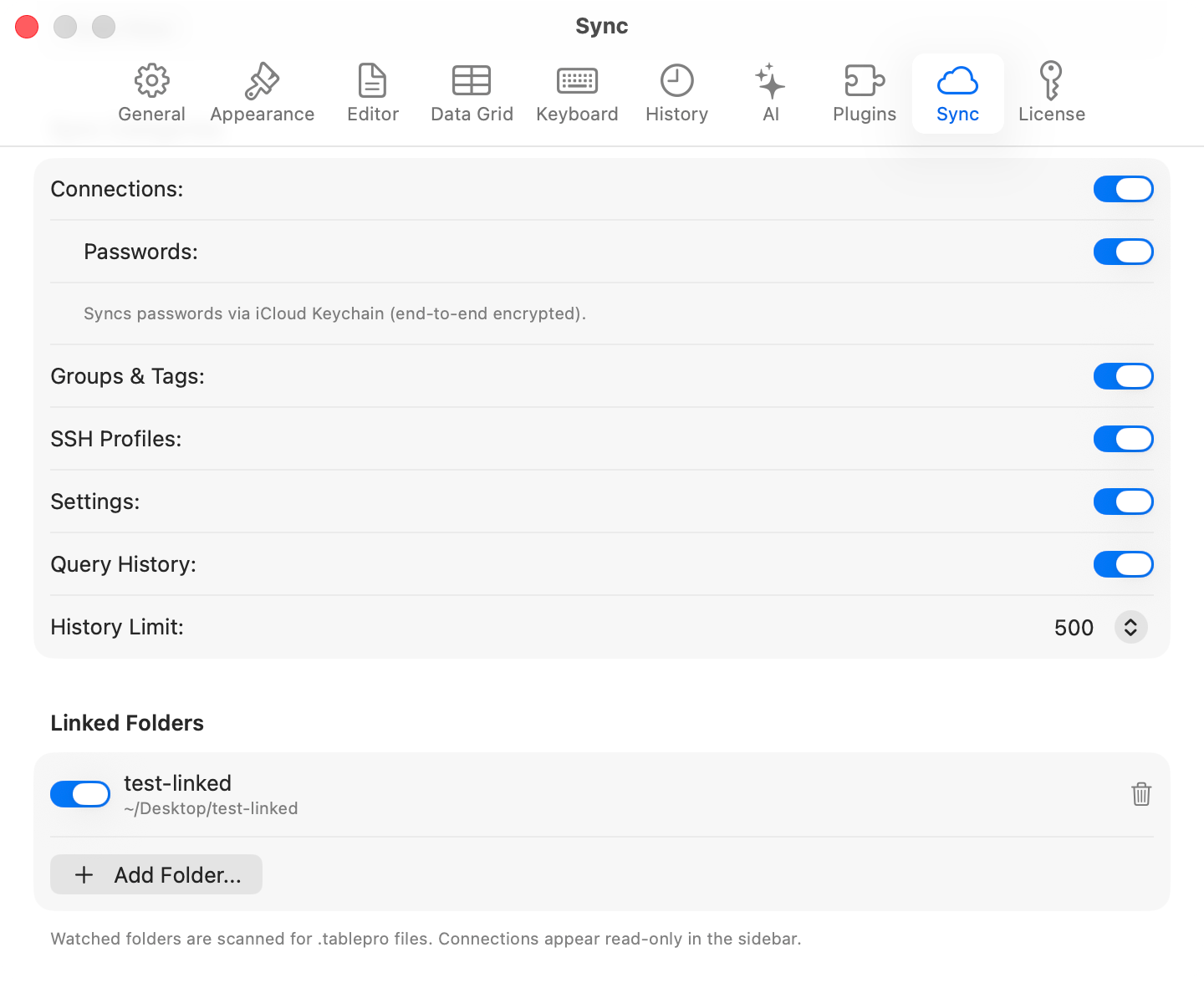
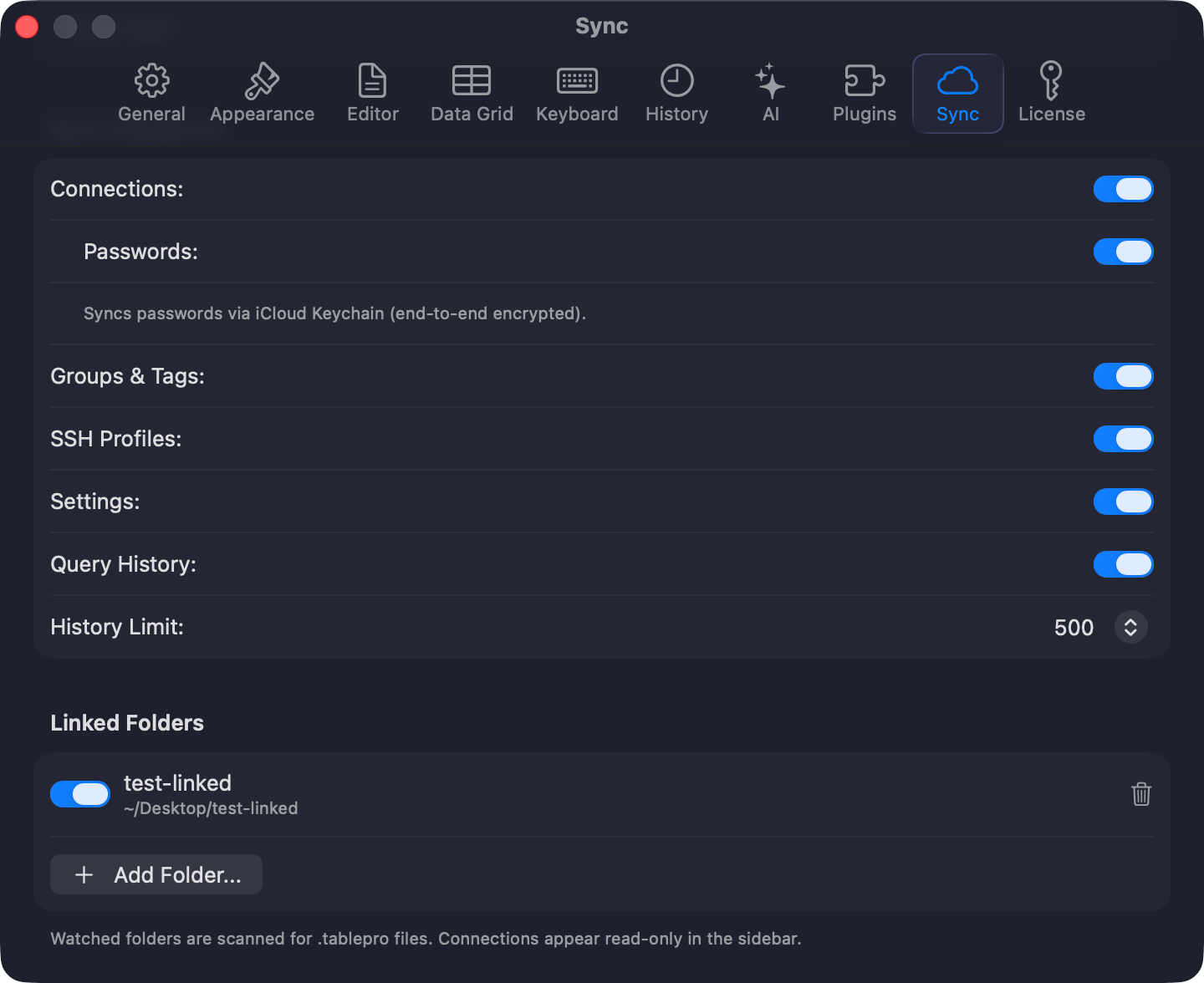
Press `Cmd+,`, then **Settings > General > Linked Folders > Add Folder…** and point it at a directory of `.tablepro` files: a Git repo, a Dropbox folder, a network drive. Those connections appear read-only in the sidebar, and each person enters their own password.
| App | Databases | Passwords | Saved queries | Notes |
| - | - | - | - | - |
| TablePlus | Every TablePlus engine except Vertica and Greenplum | From Keychain, and the password mode with them | Favorites and shared favorite folders, global, in a folder named TablePlus | SQLite and DuckDB connections bring their file path. Check the account ID of a Cloudflare D1 connection and the URL of a libSQL one in the connection form after importing |
| Sequel Ace | MySQL | From Keychain | Query favorites, global, in a folder named Sequel Ace | |
| DBeaver | MySQL, PostgreSQL, SQLite, SQL Server, Oracle, and more | Decrypted from config file | Scripts, with the connection each one runs on | Read from the data folder, so every edition works |
| DataGrip | MySQL, PostgreSQL, SQLite, SQL Server, Oracle, and more | From Keychain or `c.kdbx` | Query consoles, with their data source | Reads recent projects with SSH and SSL settings. A master password blocks it |
| Beekeeper Studio | MySQL, PostgreSQL, SQLite, SQL Server, Oracle, and more | Decrypted from its `app.db` store | Saved queries, global, in a folder named Beekeeper Studio | Brings SSH bastion hosts across |
| Navicat | MySQL, MariaDB, PostgreSQL, SQLite, SQL Server, Oracle, MongoDB | Decrypted from `.ncx` file | None: the `.ncx` file has no saved queries | Export from Navicat first, with **Export Password** on, then pick the `.ncx` |
Saved queries keep their folders inside the app's folder. A query keeps one keyword: a Sequel Ace tab trigger, or the first keyword without spaces from a TablePlus favorite. A DBeaver script with no connection lands in a global folder named DBeaver. A script or console whose connection is not part of the import lands in a global DBeaver or DataGrip folder, deselected. Scripts and consoles that still carry the name the app gave them, such as `Script-3` or `console_2`, also start deselected. Empty files are skipped, and placeholders such as `${1:name}` arrive as written.
## Import from AWS
Choose **File > Import > Import from AWS…** to list the RDS instances and Aurora clusters an AWS profile can see, and import them with their endpoint, port, and engine already filled in. See [AWS IAM Authentication](/connections/aws-iam#import-from-aws).
## On iPhone
TablePro for iPhone reads and writes the same file. Tap the **more** menu (•••) above the connection list and choose **Import Connections**, or open a `.tablepro` file from Files or AirDrop. **Export Connections** shares through the system share sheet, leaving passwords out unless you turn on **Include passwords** and set a passphrase.
Groups nest on iPhone the way they do on the Mac. Saved queries do not: an iPhone import skips the ones in a file, and an iPhone export carries none, so a Mac file exported again from an iPhone loses its queries.
## Linked Folders
Needs a [Starter license](/features/licensing).
Press `Cmd+,`, then **Settings > General > Linked Folders > Add Folder…** and point it at a directory of `.tablepro` files: a Git repo, a Dropbox folder, a network drive. Those connections appear read-only in the sidebar, and each person enters their own password.
 ## Team Catalog
Needs a [Team license](/features/licensing).
**Share > Publish to Team Catalog…** writes each selected connection as its own `.tablepro` file into a shared folder, asking for the folder the first time. Republishing overwrites the file, and passwords, passphrases, TOTP secrets, and saved queries are never written. Teammates add that folder as a Linked Folder. An older TablePro skips these files, as [File format](#file-format) explains.
## Environment variables
Needs a [Starter license](/features/licensing).
Write `$VAR` or `${VAR}` in a `.tablepro` file and it resolves from TablePro's process environment at connect time. An app launched from the Dock inherits no shell exports, so set the variable with `launchctl setenv NAME value` or launch TablePro from a terminal.
```json theme={null}
{ "host": "${DB_HOST}", "username": "$DB_USER" }
```
## Password sources
A connection in `~/Library/Application Support/TablePro/connections.json` can say where its password comes from instead of keeping one in the Keychain, which suits a script that provisions connections. The source resolves at connect time, replaces the Keychain lookup rather than supplementing it, and never syncs to iCloud. A source that fails to resolve fails the connection.
```json theme={null}
{ "passwordSource": { "kind": "file", "path": "~/.config/tablepro/secrets/feature-x.pw" } }
{ "passwordSource": { "kind": "env", "variable": "STAGING_DB_PASSWORD" } }
{ "passwordSource": { "kind": "command", "shell": "op read op://vault/feature-x/password" } }
{ "passwordSource": { "kind": "onePassword", "reference": "op://vault/feature-x/password" } }
{ "passwordSource": { "kind": "vault", "path": "secret/data/staging/db", "field": "password" } }
{ "passwordSource": { "kind": "awsSecretsManager", "secretId": "prod/db", "jsonKey": "password" } }
```
| `kind` | Reads from | Set up first |
| - | - | - |
| `file` | The file at `path`, minus a trailing newline | `chmod 600` the file |
| `env` | The named environment variable | Same Dock caveat as environment variables |
| `command` | stdout of the command, run through `/bin/bash`. A non-zero exit fails the connect | |
| `onePassword` | `op read` on the reference | `op signin` |
| `vault` | `vault kv get` for one field at a path | `VAULT_ADDR` and `VAULT_TOKEN` in TablePro's environment |
| `awsSecretsManager` | `aws secretsmanager get-secret-value`. `jsonKey` pulls one field out of a JSON secret; omit it for the whole value | |
Every command gets 30 seconds. The three CLI kinds quote each argument, so a reference cannot break out into the shell, and they need the tool on `PATH`, in `/usr/local/bin`, or in `/opt/homebrew/bin`.
Editing `connections.json` by hand costs one extra step. TablePro stamps the file when it writes it, and a file that changed underneath it fails the connect with *"Your connections file was changed outside TablePro, so this connection's password source was not run. Open the connection and save it again to confirm the change."* Save it once from the app and sources run again.
## File format
JSON, at format version 2. A file needs `formatVersion`, `exportedAt`, `appVersion`, and `connections`. Each connection needs `ref`, `name`, `host`, `port`, `database`, `username`, and `type`, and an empty string is fine where a value does not apply. Paths use `~/` so they travel.
```json theme={null}
{
"formatVersion": 2,
"exportedAt": "2026-10-10T09:00:00Z",
"appVersion": "0.80.0",
"connections": [
{
"ref": "c1",
"name": "Orders",
"host": "db.example.com",
"port": 5432,
"database": "orders",
"username": "app",
"type": "PostgreSQL",
"groupRef": "g2",
"tagNames": ["production"]
}
],
"groups": [
{ "ref": "g1", "name": "Client A", "color": "Blue" },
{ "ref": "g2", "name": "Production", "parentRef": "g1" }
],
"tags": [{ "name": "production", "color": "Red" }],
"queryFolders": [{ "ref": "f1", "name": "Reports", "connectionRef": "c1" }],
"savedQueries": [
{ "ref": "q1", "name": "Daily active users", "sql": "SELECT …", "keyword": "dau", "folderRef": "f1", "connectionRef": "c1" },
{ "ref": "q2", "name": "Locks", "sql": "SELECT …" }
]
}
```
A `ref` links records inside one file and means nothing outside it. Refs must be unique within each kind. A ref that points at nothing, or a parent chain that loops, fails the import with an error naming the ref.
| Key | Holds |
| - | - |
| `groups` | Groups with a `ref`, a `name`, and an optional `color` and `iconName`, nested through `parentRef`. A connection points at the innermost one with `groupRef` |
| `tags` | Tag colors. A connection lists its tags in `tagNames`, and a name missing here imports with no color |
| `credentialProfiles` | Profiles with `ref`, `name`, `username`, and `passwordMode` (`stored`, `prompt`, or `pgpass`), named by a connection's `credentialProfileRef`. A profile's password never travels, so a `stored` one imports as `prompt` |
| `queryFolders` | Saved query folders with a `ref` and a `name`, nested through `parentRef`. A `connectionRef` scopes a folder to that connection; without one it is global |
| `savedQueries` | A `ref`, `name`, and `sql`, and an optional `keyword`, `folderRef`, and `connectionRef`. Without a `connectionRef` a query is global |
| `credentials` | Only inside an encrypted file: secrets keyed by connection `ref` |
Version 1 files still import. Their `groupName` becomes a group at the top level of the library, and `tagName` or `tagNames` become tags. A TablePro version from before saved query export cannot open a version 2 file and reports that it needs a newer version; Linked Folders on such a version skip these files, Team Catalog ones included.
This documentation is built and hosted on [Mintlify](https://mintlify.com), a developer documentation platform.
## Team Catalog
Needs a [Team license](/features/licensing).
**Share > Publish to Team Catalog…** writes each selected connection as its own `.tablepro` file into a shared folder, asking for the folder the first time. Republishing overwrites the file, and passwords, passphrases, TOTP secrets, and saved queries are never written. Teammates add that folder as a Linked Folder. An older TablePro skips these files, as [File format](#file-format) explains.
## Environment variables
Needs a [Starter license](/features/licensing).
Write `$VAR` or `${VAR}` in a `.tablepro` file and it resolves from TablePro's process environment at connect time. An app launched from the Dock inherits no shell exports, so set the variable with `launchctl setenv NAME value` or launch TablePro from a terminal.
```json theme={null}
{ "host": "${DB_HOST}", "username": "$DB_USER" }
```
## Password sources
A connection in `~/Library/Application Support/TablePro/connections.json` can say where its password comes from instead of keeping one in the Keychain, which suits a script that provisions connections. The source resolves at connect time, replaces the Keychain lookup rather than supplementing it, and never syncs to iCloud. A source that fails to resolve fails the connection.
```json theme={null}
{ "passwordSource": { "kind": "file", "path": "~/.config/tablepro/secrets/feature-x.pw" } }
{ "passwordSource": { "kind": "env", "variable": "STAGING_DB_PASSWORD" } }
{ "passwordSource": { "kind": "command", "shell": "op read op://vault/feature-x/password" } }
{ "passwordSource": { "kind": "onePassword", "reference": "op://vault/feature-x/password" } }
{ "passwordSource": { "kind": "vault", "path": "secret/data/staging/db", "field": "password" } }
{ "passwordSource": { "kind": "awsSecretsManager", "secretId": "prod/db", "jsonKey": "password" } }
```
| `kind` | Reads from | Set up first |
| - | - | - |
| `file` | The file at `path`, minus a trailing newline | `chmod 600` the file |
| `env` | The named environment variable | Same Dock caveat as environment variables |
| `command` | stdout of the command, run through `/bin/bash`. A non-zero exit fails the connect | |
| `onePassword` | `op read` on the reference | `op signin` |
| `vault` | `vault kv get` for one field at a path | `VAULT_ADDR` and `VAULT_TOKEN` in TablePro's environment |
| `awsSecretsManager` | `aws secretsmanager get-secret-value`. `jsonKey` pulls one field out of a JSON secret; omit it for the whole value | |
Every command gets 30 seconds. The three CLI kinds quote each argument, so a reference cannot break out into the shell, and they need the tool on `PATH`, in `/usr/local/bin`, or in `/opt/homebrew/bin`.
Editing `connections.json` by hand costs one extra step. TablePro stamps the file when it writes it, and a file that changed underneath it fails the connect with *"Your connections file was changed outside TablePro, so this connection's password source was not run. Open the connection and save it again to confirm the change."* Save it once from the app and sources run again.
## File format
JSON, at format version 2. A file needs `formatVersion`, `exportedAt`, `appVersion`, and `connections`. Each connection needs `ref`, `name`, `host`, `port`, `database`, `username`, and `type`, and an empty string is fine where a value does not apply. Paths use `~/` so they travel.
```json theme={null}
{
"formatVersion": 2,
"exportedAt": "2026-10-10T09:00:00Z",
"appVersion": "0.80.0",
"connections": [
{
"ref": "c1",
"name": "Orders",
"host": "db.example.com",
"port": 5432,
"database": "orders",
"username": "app",
"type": "PostgreSQL",
"groupRef": "g2",
"tagNames": ["production"]
}
],
"groups": [
{ "ref": "g1", "name": "Client A", "color": "Blue" },
{ "ref": "g2", "name": "Production", "parentRef": "g1" }
],
"tags": [{ "name": "production", "color": "Red" }],
"queryFolders": [{ "ref": "f1", "name": "Reports", "connectionRef": "c1" }],
"savedQueries": [
{ "ref": "q1", "name": "Daily active users", "sql": "SELECT …", "keyword": "dau", "folderRef": "f1", "connectionRef": "c1" },
{ "ref": "q2", "name": "Locks", "sql": "SELECT …" }
]
}
```
A `ref` links records inside one file and means nothing outside it. Refs must be unique within each kind. A ref that points at nothing, or a parent chain that loops, fails the import with an error naming the ref.
| Key | Holds |
| - | - |
| `groups` | Groups with a `ref`, a `name`, and an optional `color` and `iconName`, nested through `parentRef`. A connection points at the innermost one with `groupRef` |
| `tags` | Tag colors. A connection lists its tags in `tagNames`, and a name missing here imports with no color |
| `credentialProfiles` | Profiles with `ref`, `name`, `username`, and `passwordMode` (`stored`, `prompt`, or `pgpass`), named by a connection's `credentialProfileRef`. A profile's password never travels, so a `stored` one imports as `prompt` |
| `queryFolders` | Saved query folders with a `ref` and a `name`, nested through `parentRef`. A `connectionRef` scopes a folder to that connection; without one it is global |
| `savedQueries` | A `ref`, `name`, and `sql`, and an optional `keyword`, `folderRef`, and `connectionRef`. Without a `connectionRef` a query is global |
| `credentials` | Only inside an encrypted file: secrets keyed by connection `ref` |
Version 1 files still import. Their `groupName` becomes a group at the top level of the library, and `tagName` or `tagNames` become tags. A TablePro version from before saved query export cannot open a version 2 file and reports that it needs a newer version; Linked Folders on such a version skip these files, Team Catalog ones included.
This documentation is built and hosted on [Mintlify](https://mintlify.com), a developer documentation platform.